Manish Choudhary
CEO & Co-founder, Ferry | Flexprice
Most accounts receivable software doesn't fix your AR problem. It makes your AR problem more organized.
You configure it, it runs, and the mechanics work. Invoices get flagged, dunning sequences fire, dashboards update. The work that requires judgment still sits with your team: extensions, short payments, disputes, anything the workflow wasn't built to handle. That's usually what determines whether you actually get paid on time.
That's why the numbers look the way they do. The Hackett Group found $600 billion trapped in excess working capital in 2025, AR the largest share. DSO degraded for the second straight year despite record AR software investment. The software is running. The problem isn't moving.
This guide covers 10 accounts receivable software options. Honest take on each: what it does well, where it still needs you, and which type of B2B finance team it's built for.
Even though this guide is published getferry.ai and we’re indeed an automated revenue recognition software, this guide isn’t biased at all. I’ve created this guide after talking to a lot of customers and peers who have shifted to getferry.ai from these tools and also this is based on my personal experience while working at Aftershoot and while consulting 1000s of companies in B2B and SaaS.
Why is AR software non-negotiable for B2B finance teams in 2026?
AR software is non-negotiable because bad AR isn't just slow cash. It's compounding slow cash.
The average B2B company burns $39,406 per year just dealing with late payments: collections time, bad debt write-offs, short-term borrowing to cover the gap while you wait (Kaplan Group). That's the average. If you're running 500+ customers with invoices over $50K, multiply it. When 44% of your invoiced sales are overdue at any given time, you don't have an AR function. You have a cash flow problem dressed up as an administrative one.
And what makes B2B harder than consumer collections is the relationship is on the line every time someone picks up the phone.
I've seen mid-market finance teams sit on $300K+ in overdue receivables from their three biggest accounts for months because nobody had a clear protocol for chasing money without jeopardizing a renewal. The AR team didn't want to step on CS's toes. CS said give them a few more weeks. The CFO found out on a board call. None of that happens when your AR process handles the judgment call before it becomes a relationship problem.
The other thing that trips up B2B teams is payment term chaos. Net 30 here, Net 60 there, some customers on a custom 45-day arrangement a salesperson negotiated two years ago and nobody put in the system correctly. The moment you have a dozen different schedules running in parallel, manual tracking doesn't degrade slowly. It breaks all at once, usually right before close.
One CFO told me: "Our software showed us exactly which invoices were 30, 60, 90 days out. What it couldn't tell us was which ones actually needed a call and which ones would resolve themselves. So we called everything. Which meant we prioritized nothing."
The Hackett Group pegs median B2B DSO at 46 days. Top-quartile performers hit 28 days. That 18-day gap is, depending on your revenue, a seven-figure difference in working capital availability at any given time. The teams closing it aren't hiring better AR staff. They've built systems that triage the work, not just report it.
The 10 best accounts receivable software options for B2B finance teams in 2026
A quick note on how I evaluated these: every tool here has been scored on real community feedback from G2, Capterra, Reddit, and LinkedIn, not vendor marketing pages. The pros and cons sections reflect what finance teams actually said, not what the sales deck promises. Where I have an opinion, I'll tell you it's my opinion.
1. Ferry
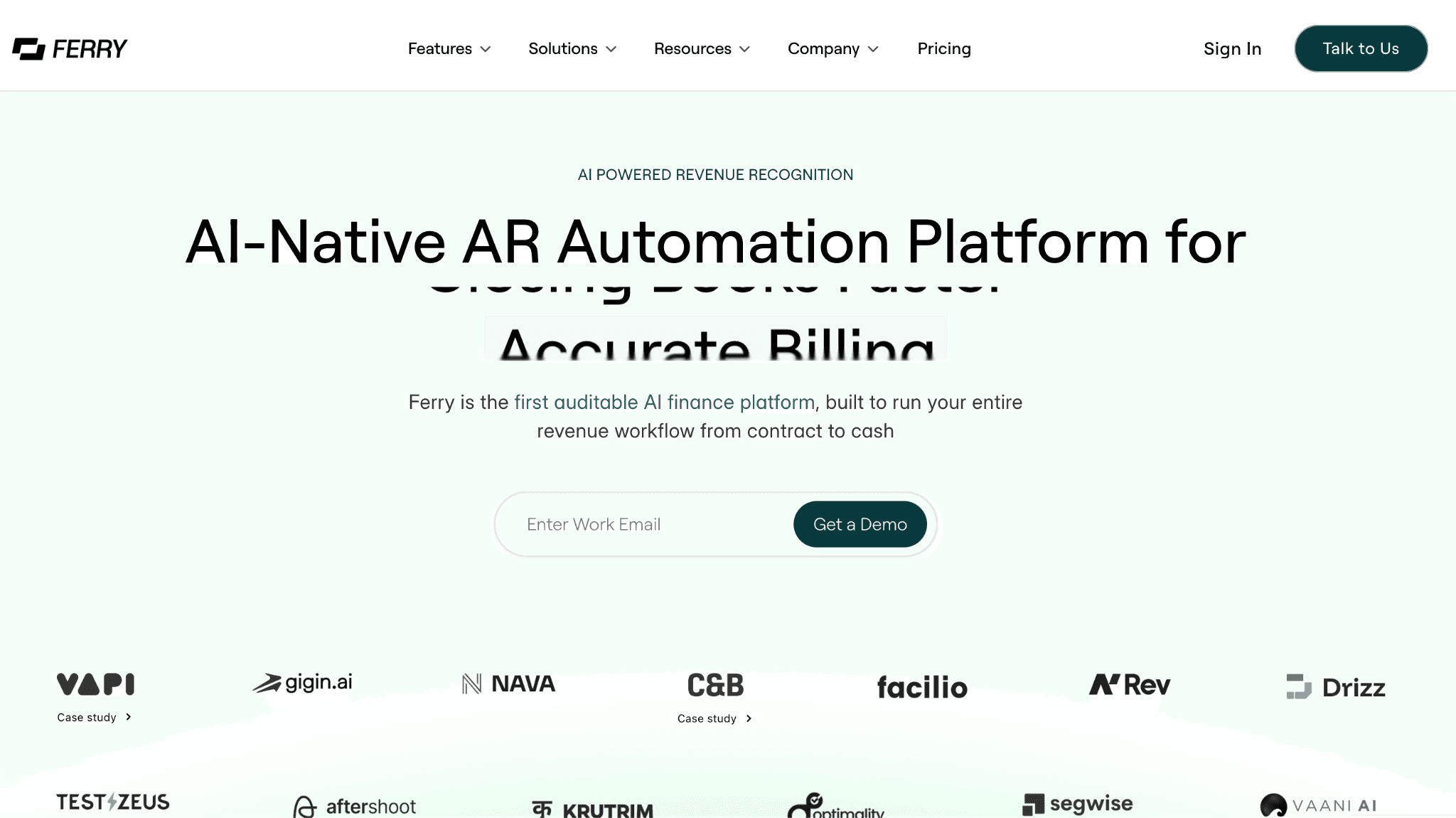
Ferry is the world's first AI-native and auditable accounts receivable software built to run the full contract-to-cash workflow without manual handoffs. Where every other AR automation tool in this list starts at the invoice stage, Ferry starts at the signed contract.
The AI agent reads every term from the contract, including price, billing frequency, milestones, and escalation clauses, then builds the schedule and sends the invoice automatically. Collections, revenue recognition, and reporting all run from the same contract layer.
You get one auditable platform covering what most finance teams currently patch together across four or five different tools.
Key features:
AI-powered contract extraction that pulls billing terms, pricing, and milestones directly from signed contracts to generate invoices without manual entry
Built-in billing engine supporting subscriptions, usage-based, milestone, and hybrid contract structures
Automated dunning that runs a different sequence per customer type (enterprise, self-serve, late payer) via email, Slack, or WhatsApp
AI cash application that auto-matches incoming payments to open invoices, handling partial payments, duplicates, and missing remittance references
Customer payment portal accepting card, ACH, wire, and check, with auto-charge on saved payment methods
ASC 606 and GAAP-compliant revenue recognition posted directly to NetSuite, QuickBooks, or Sage Intacct
Real-time ARR waterfall, DSO tracking, cash forecasting, and AR aging dashboards, every figure traceable to the source contract
Stripe reconciliation pulling payments and fees, matching to invoices, and posting to ERP automatically
Go-live in approximately one week with implementation handled by Ferry's team from day one
What users say:
Finance teams report 80% faster contract-to-invoice processing and a 5x improvement in overall invoicing speed
95% of invoices are generated on time after implementation
Teams previously running AR across separate billing, collections, and rev rec tools report meaningful consolidation once Ferry goes live
The per-customer dunning logic is highlighted specifically: the right approach for a $5K SMB invoice is not the same sequence as a $200K enterprise renewal, and Ferry handles that distinction automatically
Where it falls short:
Ferry is built for revenue complexity. If you're running fewer than 50 customers on straightforward fixed monthly billing, you'll have more capability than your current situation needs
The platform is not designed for small businesses looking for basic invoicing; the value compounds at scale
Best for: Mid-market to enterprise B2B companies with complex AR operations that want a single platform running the full revenue workflow from invoicing and collections through revenue recognition and reporting. The right fit when you're done stitching together separate tools to cover what should be one process. Not the right fit if you're a small company with fewer than 50 customers and no billing complexity to speak of.
2. Billtrust
Billtrust has been in the enterprise AR space for over two decades. It's a billing and collections platform that handles invoice delivery, cash application automation, and payment processing at scale. The pitch is consolidation: rather than running separate systems for invoice management, buyer payment portals, and cash application, Billtrust brings them into one platform. For large companies where EDI invoice delivery and enterprise buyer portals are non-negotiable, it checks the right boxes.
Key features:
Multi-channel invoice delivery covering email, print, EDI, and buyer portals
Automated cash application with OCR for remittance matching across payment types
Customizable buyer payment portals for self-service payment and invoice retrieval
Collections workflow management with aging reports and prioritization queues
ERP integration with SAP, Oracle, and NetSuite
Credit management and customer risk scoring tools
What users say:
Ease of use is the top-rated attribute with 164 separate G2 mentions, particularly around the payment portal and invoice tracking interface
Invoice visibility is a consistent pro: teams can see when invoices were opened, when payments were made, and what's still outstanding without digging through email threads
Cash application automation reduces manual matching time, with enterprise teams at high-volume operations highlighting this as the primary efficiency driver
Where it falls short:
Credits don't auto-apply and require manual processing, creating cleanup work at month-end (35 G2 reviews)
Customer support quality is inconsistent: 25 G2 reviews flag difficulty reaching knowledgeable agents and getting issues resolved in a reasonable timeframe
Reporting customization is limited for non-standard data slices, which surfaces as a complaint for teams needing views beyond the default templates
Login and session timeout issues appear in 24 separate G2 reviews as a recurring friction point
Invoices aren't always transmitted correctly when customers have multiple ship-to addresses requiring different billing contacts
Best for: Enterprise B2B companies (typically $100M+ in revenue) in manufacturing, distribution, and wholesale running high invoice volumes with complex EDI requirements. Less suited for SaaS or usage-based billing models.
3. HighRadius
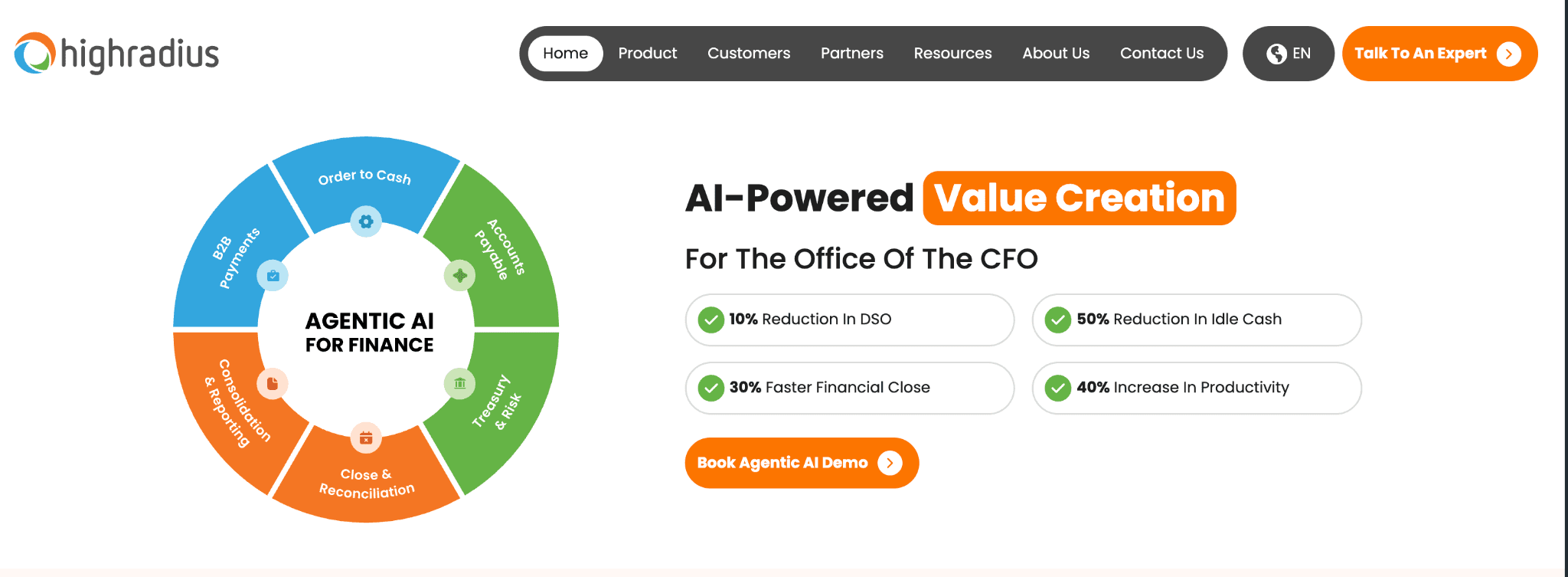
HighRadius is the enterprise heavyweight in accounts receivable automation. It combines AI-powered collections, cash application, credit management, and deductions management into a platform built specifically for large organizations running complex multi-ERP environments.
The AI they've built over the past decade runs deep, particularly in payment prediction and collections prioritization. If you're running a global AR operation with thousands of invoices and a dedicated AR team, this is the category leader.
Key features:
AI-powered collections workbench with predicted payment dates and prioritized call lists built from transaction history
Automated cash application using AI to match remittances from any format or channel
Deductions management with root cause tracking and automated research workflows
Credit management with real-time risk scoring per customer
ERP integration with SAP, Oracle, NetSuite, and Microsoft Dynamics
Treasury and cash flow forecasting module
Self-service customer payment portal
What users say
Automation depth is the primary reason teams choose HighRadius: for large teams running thousands of invoices, the AI prioritization of collections queues is consistently reported as a meaningful operational improvement
Payment prediction accuracy is highlighted, particularly for companies with enough historical transaction data for the model to train effectively
Collections queue prioritization specifically reduces the time AR teams spend deciding who to call first
Where it falls short:
Implementation takes 6 to 12 months, consistently reported across multiple G2 reviews, not an outlier estimate
Cash application runs in batch mode rather than real-time, which matters when AR teams need current data rather than overnight processing runs
Advanced features, including the AI capabilities that make HighRadius worth evaluating, are gated behind higher-tier plans and not available at entry-level pricing
Teams under 5 people running AR will find the platform's complexity exceeds what they can realistically operationalize
Best for: Large enterprise ($500M+ revenue) with complex AR operations: multi-entity, multi-ERP environments, high deduction volumes, global collections. Not the right evaluation if you need to be operational within a quarter.
4. Upflow
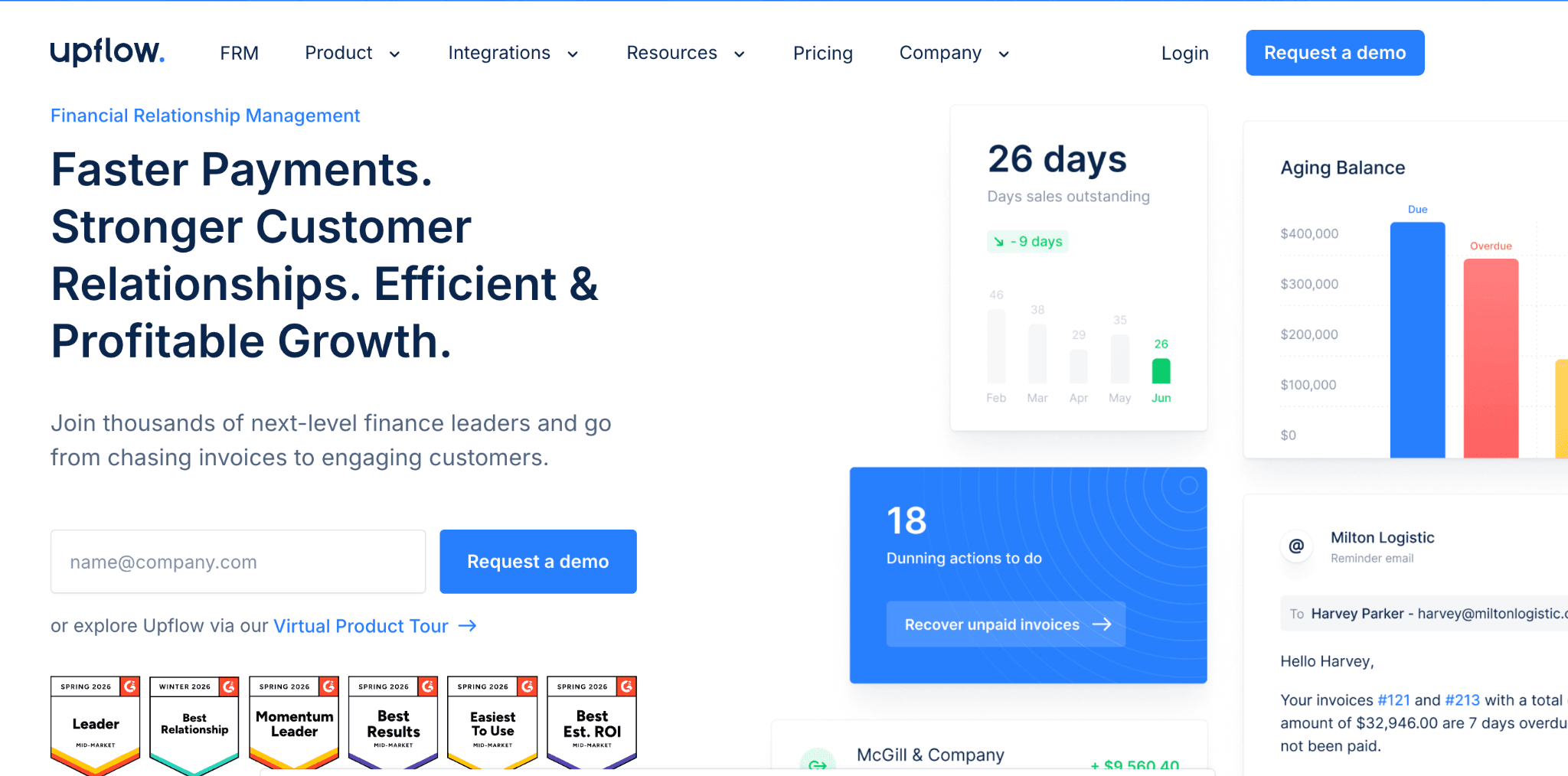
Upflow is a mid-market AR automation platform with a product experience that's notably cleaner than most of the tools in this category. It handles collections workflow automation and AR visibility for growth-stage companies that have outgrown manual tracking but don't need enterprise infrastructure. Implementation is fast, the interface is well-designed, and cross-team visibility between AR and customer success is a built-in feature rather than an afterthought.
Key features:
Collections workflow automation with customizable reminder sequences per customer segment
Real-time AR aging and DSO dashboard with customer-level drill-down
Collaborative workspace for AR and customer success teams to manage accounts together
Customer payment portal for self-service invoice access and payment
Integrations with NetSuite, QuickBooks, Xero, Chargebee, Zuora, and Stripe
Cash flow forecasting built from invoice and payment data
Credit limit management and customer risk scoring
What users say
A Finance Operations Manager at a staffing firm reported reducing DSO by 15 days after implementing Upflow, while managing an increasing invoice volume simultaneously
Multiple Capterra reviewers highlight fast onboarding, with several describing full implementation in a matter of weeks
Cross-team visibility between finance and sales is consistently called out: "The dashboard and metrics allowed me to have a new vision of our AR and have been added to the presentations I make to management" (Head of Finance, Adikteev, Capterra)
Xero and Stripe integrations are specifically praised for working seamlessly out of the box
Where it falls short:
One Capterra reviewer with 2+ years of use rated the product 1 out of 5 and reported that the engineering team did not fulfill a single feature request across the entire period
There is a 2-day lag between issuing an invoice and auto-charging a customer's card, which creates friction for recurring auto-charge workflows
The DSO calculation method in Upflow can differ from what your ERP shows, causing reporting reconciliation headaches for teams tracking both systems
Email automation has deliverability limitations, and advanced email configuration comes with additional cost
Best for: B2B mid-market companies (50 to 500 active customers) in SaaS, tech, and professional services running standard subscription or service billing. Works well when AR and customer success need a shared view of account status.
5. Tesorio
Tesorio combines AR collections automation with cash flow forecasting in a way that most standalone AR tools don't attempt. The product is built for finance teams that want one platform handling both collections workflows and forward-looking cash projections, with machine learning used to predict when individual customers will actually pay. If your CFO is asking for cash forecasts alongside AR performance in the same meeting, this is the tool that covers both.
Key features:
ML-powered payment prediction by customer and invoice, built from historical payment behavior
AR collections workflow automation with customizable follow-up sequences
Real-time cash flow forecasting derived directly from live AR data
Collections performance analytics and team productivity tracking
ERP integrations including NetSuite, SAP, Oracle, and Workday
Customer self-service payment portal
Team performance tracking for collections staff
What users say
The combination of AR automation and cash forecasting in one tool is the primary reason cited for choosing Tesorio: teams that previously ran collections in one tool and cash forecasting in spreadsheets report meaningful consolidation
ML payment predictions are highlighted as useful for weekly prioritization decisions, helping teams focus on the accounts most likely to create cash timing problems
Finance leaders specifically cite the ability to present AR performance and cash positioning in one view as a differentiator in board and exec reporting
Where it falls short:
ERP sync has latency issues: if your ERP doesn't push data to Tesorio in real time, the collections queue won't reflect your current AR state
Collaboration tools are finance-centric, making it harder to loop in customer success or sales on collections conversations without workarounds
Smaller teams sometimes find the full platform capability exceeds what they can realistically use or configure
Best for: Mid-market to enterprise B2B companies in tech and SaaS where cash flow forecasting is as operationally important as collections management. Particularly strong for CFOs and controllers who need to present both together.
6. Versapay
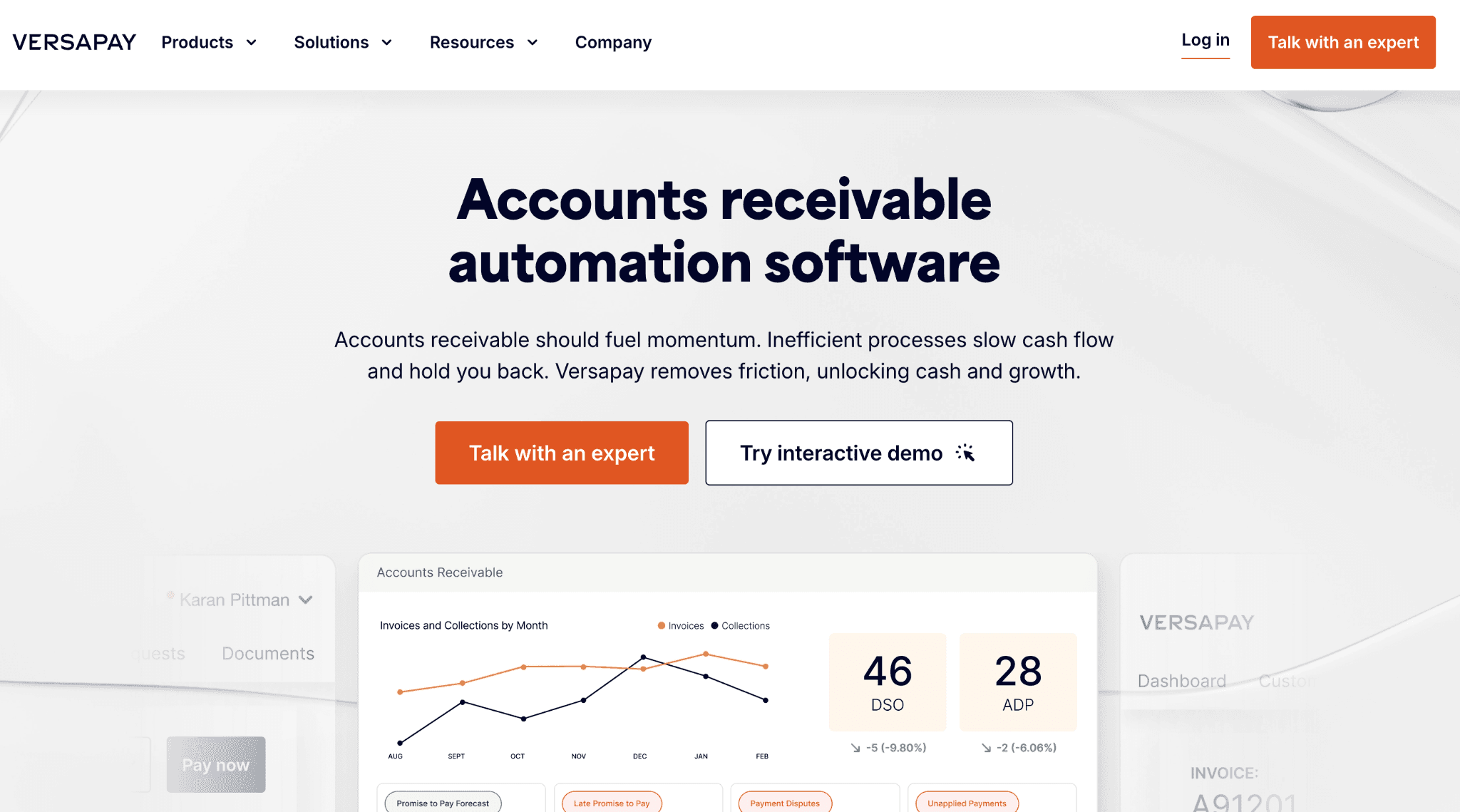
Versapay is built around a collaborative network model: buyers and suppliers manage invoices through a shared digital workspace rather than the traditional send-invoice-and-chase-email loop.
The idea is that disputes, short payments, and payment delays get resolved faster when both sides can see the same invoice, leave notes, and process payment in the same place. It's a different philosophy than most AR automation tools and it works well for companies whose customers are willing to engage with a portal.
Key features:
Collaborative AR network with shared buyer-seller invoice workspace for dispute resolution and payment
Automated invoice delivery and payment collection across the network
ERP integration with SAP, Oracle, NetSuite, Microsoft Dynamics, and Sage
Cash application automation with remittance matching
Customer self-service payment portal
Dispute management and resolution tracking workflow
Collections automation with escalation rules and aging-based prioritization
What users say:
Finance teams in distribution and manufacturing report faster invoice dispute resolution as the primary benefit: getting a buyer to acknowledge an invoice in a shared workspace changes the collections dynamic compared to email threads
The shift from email-based AR to a collaborative portal is well-received by companies whose customers actively engage with it
Onboarding customers onto the network is described as straightforward when customers are motivated to participate
Where it falls short:
The UI has been flagged as dated in multiple reviews, with the interface feeling less modern than newer AR tools in the same price range
Customer support quality is inconsistent: users report slow response times and difficulty resolving technical issues
Payment limits create friction for high-value transactions, which is a meaningful problem for companies running large B2B invoices
The collaborative model only delivers value if your customers actually log into the portal, and adoption is not guaranteed
Best for: Mid-market companies in distribution, manufacturing, and wholesale where invoice disputes are a persistent collections problem and customers have enough scale to justify portal onboarding. Less suitable if your customers are unlikely to engage with a third-party payment platform.
7. Kolleno
Kolleno is a newer AR automation platform that has earned the highest G2 rating in this list through strong execution on the fundamentals: workflow automation, ERP sync quality, and a user experience that finance teams consistently describe as intuitive.
It's built for mid-market companies that want serious accounts receivable management capability without a lengthy implementation cycle. The AI copilot feature, which surfaces customer-level payment context before a collections call or follow-up email, is a differentiator you won't find in most tools at this price point.
Key features:
Customizable collections workflow automation per customer segment with AI-assisted communication drafting
AI copilot providing customer-level payment insights and context before outreach
Real-time ERP and CRM sync with Xero, QuickBooks, NetSuite, Sage, HubSpot, and Salesforce
Customer payment portal for self-service invoice access and payment
AR analytics and DSO reporting dashboard
Mobile app for AR portfolio visibility on the go
Multilingual workflow support (with noted limitations)
What users say
Users report an average 32% DSO reduction after implementation
Customer support responsiveness is cited repeatedly as a competitive advantage: reviewers describe getting real answers quickly, which stands out in a category where support quality is a common complaint
The AI copilot, which pulls up customer payment history and account context before outreach, is called out as a practical differentiator for collections conversations
Setup is described as straightforward, with teams able to configure workflows without extensive technical support
Where it falls short:
Multilingual workflow templates are limited, which matters for companies with customers across multiple regions who need localized collections communications
The mobile app has gaps in functionality compared to the desktop experience, so teams relying on mobile for AR management will find it incomplete
Several enterprise reviewers note the platform may not scale to meet the complexity requirements of very large organizations with multi-entity structures
Best for: Mid-market B2B companies (100 to 1,000 active customers) across SaaS, professional services, and tech that want fast implementation and responsive support. Best fit for companies operating primarily in English-speaking markets.
8. Chaser
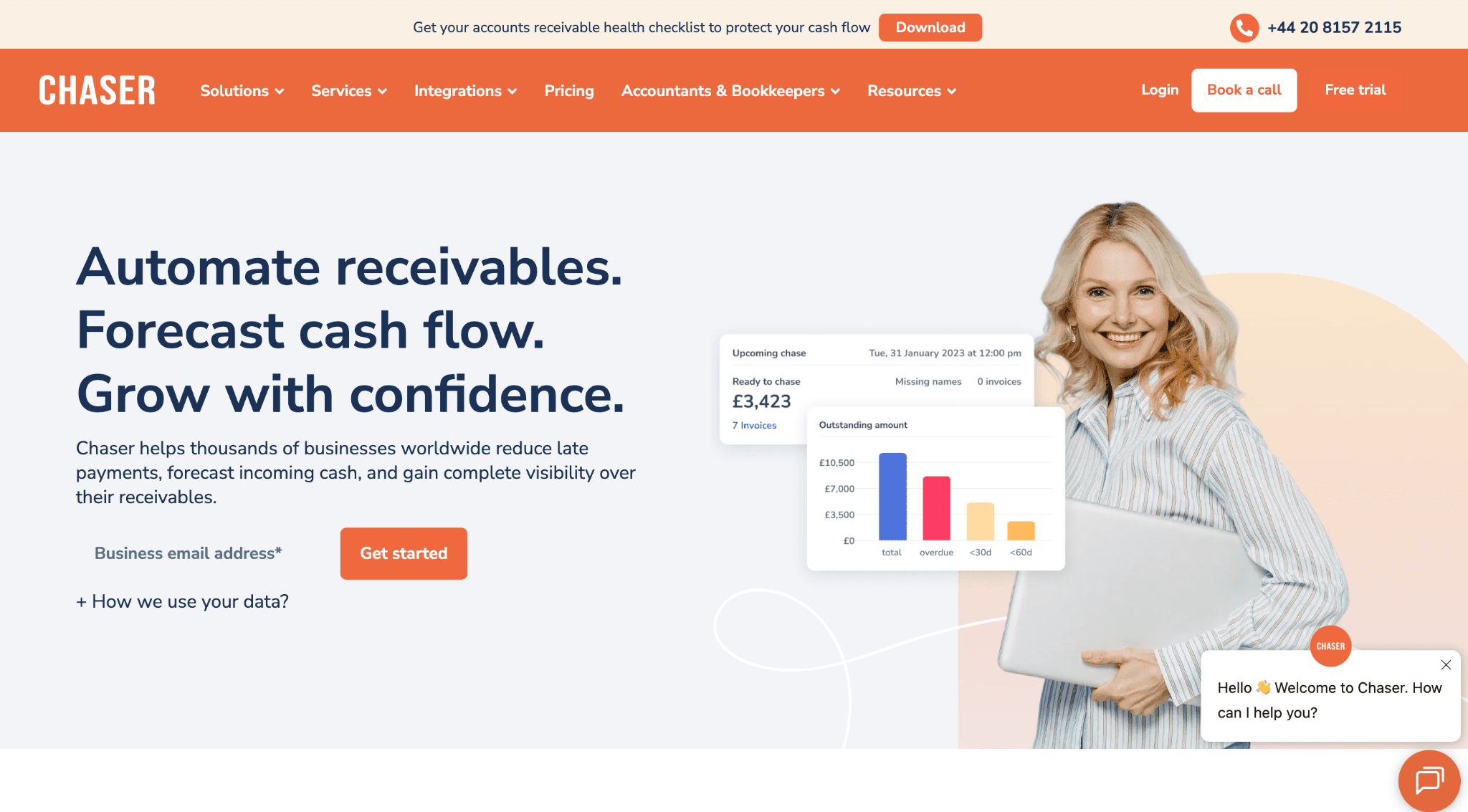
Chaser is an AR collections tool built specifically around credit control and invoice follow-up for SMB and lower mid-market companies. It plugs into Xero or QuickBooks and automates payment reminders with enough personalization to avoid making your customers feel like they're receiving automated dunning notices.
The product has won industry awards for credit management, and the user base is largely service businesses and agencies where the relationship side of collections matters as much as the process side.
Key features:
Automated payment reminder sequences with personalization options to maintain customer relationship tone
Collections workflow with phone call scheduling, debtor interaction logging, and follow-up task assignment
CRM integrations with HubSpot, Salesforce, and Zoho
Credit checking and risk scoring per customer
Cash flow forecasting built from invoice and payment data
Customer payment portal with multiple payment methods
SMS and WhatsApp reminder options alongside email
Full debtor communication history tracking per invoice
What users say
Chaser reports users get paid 54 days sooner and save 15+ hours per week on accounts receivable tasks, with DSO reduced by over 75%. These are company-published figures, but independent Capterra reviewers consistently describe meaningful time savings after switching from purely manual follow-up processes
The Xero integration is specifically praised for seamless setup and reliable sync
The ability to see whether a customer opened a reminder email before following up by phone is highlighted as a practically useful tactic for collections timing
Teams running high invoice volumes report that automating the routine follow-up frees them to focus on the accounts that actually need judgment calls
Where it falls short:
Email deliverability has become a documented issue: outbound reminders now show 'mail-srv1.com' in the sender information rather than the company's own domain, making automated emails look like third-party collection notices to recipients and reducing response rates
Advanced email automation is an additional cost beyond the base plan
Feature requests go unaddressed for extended periods: reviewers flag missing functionality such as custom tags and response-based templates that haven't been shipped despite user requests
The product is tightly coupled to Xero and QuickBooks, limiting fit for companies on other accounting systems
Best for: SMB to lower mid-market service businesses with 20 to 200 active customers running Xero or QuickBooks. Particularly strong for professional services firms and agencies where maintaining customer relationships during collections is as important as the follow-up itself.
9. Bill.com (BILL)
Bill.com is primarily an accounts payable automation platform that added AR functionality. It's used by hundreds of thousands of small businesses and is one of the most recognized names in SMB finance software.
The AR module handles invoice creation, payment collection, and basic payment reminders. It is not a collections management platform, and you'll feel that boundary quickly if AR is your primary operational problem rather than AP.
Key features:
Invoice creation and multi-channel delivery
Automated basic payment reminders
Customer self-service payment portal
ACH and card payment acceptance
Integration with QuickBooks, Xero, NetSuite, and Sage Intacct
Basic AR aging reporting
Accounts payable automation (the core product)
Corporate card management via BILL Spend and Expense
Team plan pricing at $55 per user per month for combined AP and AR
What users say
Small business owners and accounting firms rate ease of use highly and cite time savings on basic invoicing workflows
QuickBooks integration is the most frequently mentioned reason teams stay on the platform: it works reliably and requires minimal configuration
For companies running basic invoicing with straightforward payment collection, the product does what it says
Where it falls short:
Bill.com is better at AP than AR, and not by a small margin. The AR module lacks the collections workflow depth you'd get from a purpose-built accounts receivable software: no meaningful dunning customization, no dispute management, no customer segmentation for collections, no payment prediction
If your AR challenge is operational, meaning you have volume, varied customer payment behavior, and an actual collections process to run, Bill.com won't solve it
Per-seat pricing gets expensive as you add users, and mid-market teams find the cost model harder to justify at scale
Best for: Small businesses and accounting firms that need AP automation as the primary use case and want basic AR invoicing alongside it. Not the right tool if AR is your primary operational challenge and you have more than 100 active customers with varied payment behavior.
10. Quadient AR (formerly YayPay)
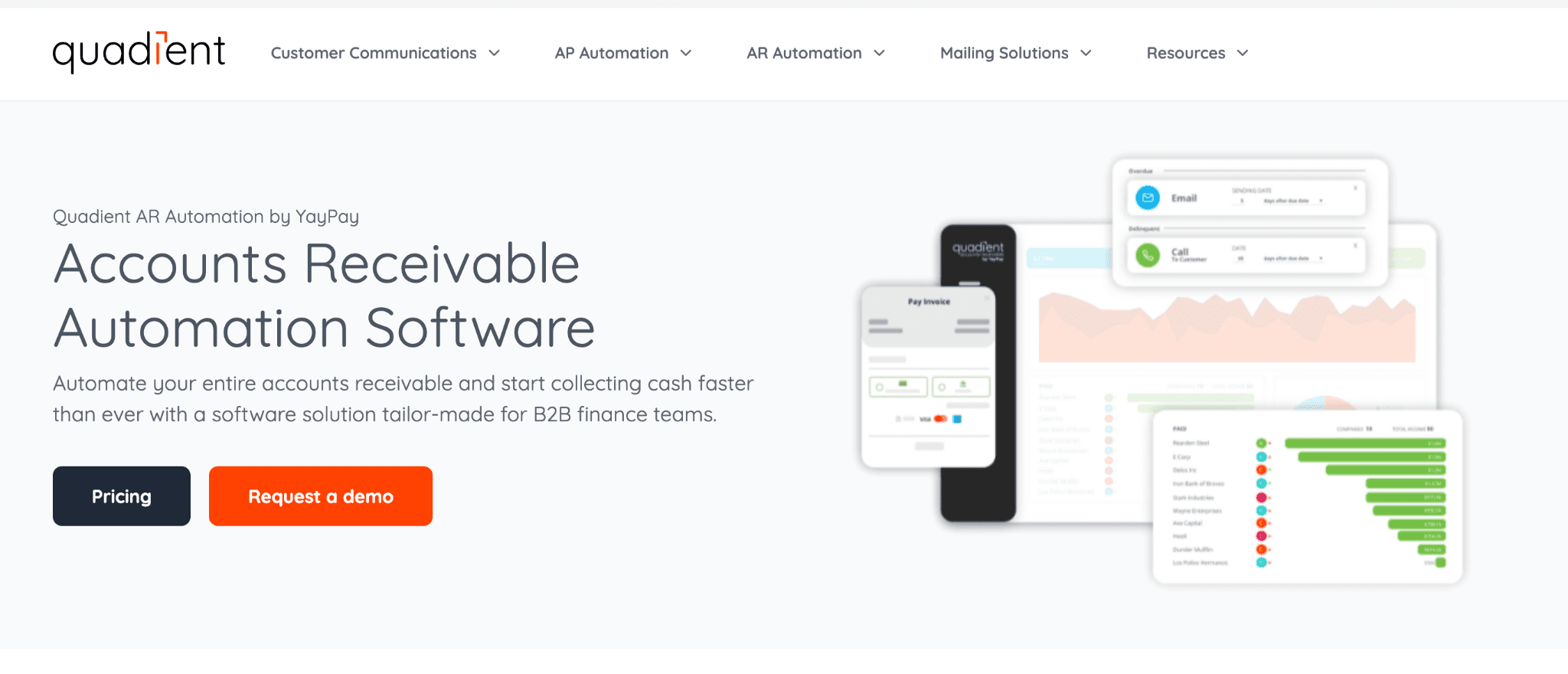
Quadient acquired YayPay in 2021 and rebuilt it as Quadient AR. The product is a mid-market to enterprise accounts receivable automation platform focused on ease of use for collections teams. It covers automated dunning, customer payment portals, AI-assisted cash application, and real-time aging dashboards. The NetSuite integration is particularly well-regarded in the user community and stands out compared to peers in the same category.
Key features:
Automated collections workflows with email, phone task management, and escalation rules
Customer self-service payment portal with multiple payment methods
AI-assisted cash application and invoice matching
Real-time AR aging dashboards with account-level drill-down
Salesforce CRM integration
NetSuite and multi-ERP integration
Credit risk management per customer
Predictive analytics (available on higher-tier plans)
Custom reporting and analytics
What users say
The NetSuite implementation is highlighted across multiple reviews as unusually smooth: onboarding did not require weeks of back-and-forth with implementation consultants, which matters for mid-market companies without dedicated IT resources
The AR aging dashboard consolidates what used to require multiple tools and exports: one reviewer specifically noted being able to see aging, run reports, send invoices, and contact clients all from a single screen
Collections teams find the day-to-day interface well-structured for working through outstanding invoices systematically
Where it falls short:
Batch payment notifications generate interface clutter: when customers pay large sets of invoices together, the system creates a separate notification per invoice rather than grouping them
Reporting customization is described as rigid for non-standard data slices. Teams needing custom reporting views beyond standard templates will find the options limited
Predictive analytics and flexible workflow rules are gated behind higher-tier plans, meaning the most differentiated capabilities aren't available at entry-level pricing
Load times are flagged in multiple reviews as slow when searching within large customer lists
Best for: Mid-market to enterprise B2B companies (particularly NetSuite shops) in SaaS, distribution, and professional services that want a well-structured collections tool with real-time auguring visibility. Good fit when your team needs clean AR dashboards without heavy reporting customization requirements.
How do you choose the right accounts receivable software for your business?
The honest answer is that most teams buy the wrong AR software. Not because the tools are bad. Because the evaluation starts at the feature list instead of the operational reality. I've seen finance teams spend six months evaluating platforms, sign a contract, and then discover that the thing they actually needed, whether it was a specific ERP integration or a way to handle contract amendments mid-cycle, was either unavailable or locked behind a higher-priced plan.
So here's how I'd actually approach this. The first filter isn't features. It's scale. Then it's industry. Then it's the specific questions nobody asks until the contract is already signed.
Does AR software choice change by company size?
Yes, significantly. The gap between what a 40-person company needs and what a 4,000-person company needs isn't just about invoice volume. It's about operational structure, ERP complexity, and who on your team is actually running collections day to day.
Under 100 active customers
I've talked to finance leads at early-stage B2B companies who bought Chaser or Upflow and then couldn't get the team to actually use the workflows they configured. The tool works but the discipline doesn't.
If your AR is this small, your real need is structure before software. A lightweight tool that plugs into QuickBooks or Xero, sends automated reminders, and keeps a clean aging view is more than enough.
The question to ask: can this tool go live in a week without IT involvement? If the answer is no, it's already overkill.
50 to 500 active customers
This is where things break. 50 customers on varied net terms, a mix of enterprise and SMB accounts, some in dispute, some on payment plans someone negotiated and didn't document. At this scale, manual follow-up fails because the volume exceeds one person's bandwidth, and judgment calls start getting skipped because there's no triage.
I'd argue this is the most important segment to get right. Companies here have enough complexity to need real AR automation software but enough flexibility to still choose the right tool rather than the default. The Hackett Group found that top-quartile performers at this scale hit 28 days DSO versus a median of 46, a gap worth roughly $1M to $3M in working capital depending on your revenue run rate. (Source: The Hackett Group)
At this tier, Upflow, Kolleno, and Ferry are worth evaluating. What you're looking for: configurable dunning workflows per customer type, clean ERP sync without a lag, and shared visibility across AR and customer success. The last one matters more than people admit. Half the disputed invoices I've seen sit unresolved for 60+ days not because nobody chased them, but because AR didn't know a customer success conversation was already happening.
500+ active customers or $50M+ in AR volume
At this point the evaluation criteria changes. You're not asking "does it work?" You're asking "does it scale, and who maintains it?"
Enterprise AR automation means something specific: cash application quality at volume, deductions management, multi-entity support, and a support model that doesn't leave your team waiting 72 hours when something breaks during close. HighRadius and Billtrust are built for this tier. The trade-off is implementation time. If you're not prepared for a 6-month rollout and internal change management, you'll buy enterprise software and run it at 40% of its capability.
The stat that focuses on this decision: AR automation reduces DSO by 15 to 30% on average across industries, but enterprise platforms specifically show 30 to 40% improvement over 12 months once fully adopted. (Source: Tesorio Blog) That 10-percentage-point gap between "somewhat implemented" and "fully adopted" is where most enterprise AR software goes to die.
Does the industry change which AR software you should buy?
More than most software buyers account for. The accounts receivable problems in SaaS look nothing like the problems in manufacturing, and what works for a 200-person professional services firm will actively frustrate a distribution company billing on purchase orders.
SaaS and technology companies
SaaS companies have an AR problem that's structurally different from everyone else on this list. The billing model is the complexity. Usage-based contracts, mid-cycle amendments, seat expansions, annual commitments billed quarterly, customer-specific pricing negotiated by sales and loosely captured in a CRM: none of that is straightforward invoicing. The invoice isn't the problem. Building the right invoice from the right contract terms is.
Median DSO for SaaS sits at 35 days, which sounds clean until you look at individual accounts. Enterprise contracts that are technically net 30 but functionally net 60 because of procurement cycles. Sales reps promised extended terms that finance never agreed to. Revenue recognition that needs to match against invoiced amounts at close. The downstream problems from a bad billing process hit harder in SaaS because the models are more complex and the audit requirements are more demanding. (Source: CreditPulse DSO Benchmarks)
For SaaS: the AR software needs to handle the billing model, not just the invoice. Tools that start from contracts rather than line items (Ferry is the clear example) have a structural advantage here because the invoice accuracy problem gets solved at the source. Upflow and Tesorio work well at the upper mid-market where the billing is more straightforward and the primary need is collections visibility and cash forecasting.
One VP of Finance at a B2B software company put it this way: "We weren't slow at collections. We were slow at figuring out what the right number was. By the time we resolved what was owed, the conversation with the customer had already gotten weird." That's a billing problem, not a collections problem. Solve the first one and the second often resolves itself.
Manufacturing and distribution
Manufacturing has the highest median DSO of any sector I'd recommend AR software for. At 58 days median, best-in-class manufacturers are running at 40 to 45 days and the gap compounds quickly when your average invoice is $100K or more. (Source: CreditPulse DSO Benchmarks)
The structural challenge in manufacturing is that AR doesn't live with finance. It lives across sales, logistics, customer service, and sometimes the plant floor. A payment dispute on a $300K order isn't settled by sending three reminder emails. It requires checking whether the delivery matched the PO, whether there was a short-ship, whether the customer's receiving department signed off. By the time you trace all of that, the invoice is 90 days old and a customer relationship is at risk.
This is why Versapay's network model was designed for manufacturing: getting buyers and sellers on the same invoice view reduces the "we never received it" and "there was a quality issue" response rate that manual AR chasing produces. Billtrust's EDI and multi-channel delivery capabilities also matter here because many manufacturing customers still require specific invoice formats and delivery channels that email-first tools don't handle.
Professional services
Professional services firms have a billing timing problem more than a collections problem. Milestone billing, time-and-materials invoices, retainers that don't match project phases, work that's done but not yet billed because the engagement manager hasn't submitted hours: the money exists, it just hasn't been invoiced yet. Median DSO in professional services sits at 42 days but drifts significantly higher for firms that don't have a clean process for turning completed work into invoiced amounts quickly. (Source: CreditPulse DSO Benchmarks)
The relationship sensitivity here is real. A law firm, consulting firm, or agency can't send three automated dunning emails to a client they're hoping to renew. The follow-up needs to happen, but it needs to happen with context. Chaser is built specifically for this use case: personalized reminders that maintain relationship tone, with full communication history so whoever makes the call knows exactly what's been said before picking up the phone.
For professional services firms above $10M in revenue with project-based billing across multiple clients: Tesorio's combination of collections automation and cash flow forecasting is worth a serious evaluation. The cash flow prediction piece matters because milestone billing creates lumpier cash flows than subscription businesses, and forecasting from actual billing data rather than revenue projections gives you a materially better number.
What questions should you actually ask before buying AR software?
Most demo processes cover the wrong ground. You see the dashboard, watch the dunning workflow run, and leave without answers to the questions that will determine whether the software actually works in your environment.
Here's what I'd ask instead.
What percentage of decisions still require a human after it runs?
This is the question most vendors won't answer clearly, and it's the most important one. A tool that automates 70% of collections tasks and flags the remaining 30% for human judgment is a different product than one that claims 95% automation but still needs someone to review every exception. Get specific on what the exceptions are and how often they occur in companies similar to yours.
What does your ERP integration actually look like?
"We integrate with NetSuite" and "we have a native bi-directional NetSuite integration that syncs in real time" are not the same statement. Manual exports, API syncs that run nightly, and native integrations that update on transaction create are three different operational realities. If your team will spend an hour each morning reconciling what the AR tool shows against what the ERP shows, the automation benefit disappears quickly.
How long does implementation actually take?
Ask for the median go-live time for companies at your size and ERP configuration, not the best-case scenario. Then ask what the common reasons are that implementations run over. 30% of accounting data errors originate from manual data entry during system migrations, and a rushed implementation creates months of cleanup work. (Source: Serrala)
What does the support model look like after go-live?
Responsive support is cited as a differentiator in Kolleno's G2 reviews specifically because it's rare enough to be noteworthy. Find out whether your company gets a named customer success manager or a support ticket queue, and what the average response time is for non-critical issues during close.
Can it handle your edge cases?
Every AR operation has edge cases: a customer who always pays in three separate ACH transfers, a contract with a revenue share that affects the invoice amount, a parent company that pays for 12 subsidiaries. Run your three most operationally annoying scenarios through the demo. If the answer to any of them is "that would need to be a manual step," factor that into the evaluation.
The right accounts receivable software isn't the one with the longest feature list. It's the one where 90 days after go-live your team is spending less time on AR than they were before, and your DSO is moving in the right direction. Everything else is a marketing decision.
A note on total cost of ownership
Deloitte's Q4 2025 CFO Signals survey found that 87% of CFOs believe AI will be extremely or very important to finance department operations in 2026, and 60% of US CFOs have moved AR automation to the top of their software priority list. (Source: Serrala, citing Deloitte Q4 2025 CFO Signals) The market is moving fast and vendors know it, which means pricing is less standardized than it used to be.
When you're building the business case, factor in the cost of your current state: collections staff time spent on manual follow-up, borrowing costs from delayed cash collection, and bad debt write-offs from accounts that slipped through the cracks. The Kaplan Group estimates the average B2B company spends $39,406 per year just managing late payments, and that's before you count the opportunity cost of the working capital that's sitting in unpaid invoices. (Source: Kaplan Group) A tool that costs $30K annually and cuts that figure by half pays for itself before the first renewal.
93% of companies report that AR software met or exceeded ROI expectations within the first year of implementation. The math usually works. The question is whether you chose the right tool for your specific operational context. (Source: Resolve Pay)
Final take: what the best AR teams actually have in common
I've spent a lot of time looking at finance operations across companies that run clean AR and ones that don't. The variable that matters most isn't the software. It's whether the team treats AR as a system or as a series of tasks.
Teams running manual AR processes don't just have a slow collections cycle. They have a visibility problem. The CFO doesn't know which customers are trending toward slow pay until they're already 45 days out. Customer success doesn't know an invoice is in dispute until the customer mentions it on a renewal call. Finance doesn't know whether this month's cash position is accurate until close, and by then the information is 30 days stale. The cost isn't just the delayed cash. It's every decision made with incomplete information about the business.
Good accounts receivable software fixes the visibility first. The automation follows from that. Once your team can see the full AR portfolio in real time, can see which accounts are at risk, can see where disputes are sitting, the manual work doesn't disappear overnight but it becomes schedulable and prioritized instead of reactive and urgent.
The data on this is consistent across every source I've read. AR automation reduces DSO by 10 to 33 days depending on implementation maturity. It triples collections productivity on the same headcount. It frees working capital that was already earned but sitting uncollected. 92% of companies that implement it report accelerated cash flow. And for most mid-market companies, the full ROI lands within 9 months of go-live. (Source: Vanson Bourne via Tesorio)
The 10 tools in this guide represent the serious options across the market right now, from SMB-focused tools that plug into Xero in a day to enterprise platforms with multi-ERP cash applications built for $1B+ revenue environments. None of them are perfect. All of them are better than the alternative, which is watching $39,406 in annual late-payment costs compound quietly on a spreadsheet that nobody updates between closes.
The question worth sitting with isn't whether to buy accounts receivable software. That ship sailed when B2B payment terms became a negotiation and customer portfolios grew past 50 accounts. The question is which one fits the company you're actually running, not the one you were last year or the one you're planning to be in 2028.
Pick the tool that solves the problem you have today. You'll know if you made the right call within the first billing cycle.
Sources for this guide: The Hackett Group 2025 Working Capital Survey | CreditPulse DSO Industry Benchmarks 2025 | Tesorio AR Automation Research | Billtrust AI in AR Study 2025 | Resolve Pay AR Automation Statistics | RITS Center AR ROI Research | Limebox DSO Case Study | Kaplan Group Late Payment Cost Data